
Download ACDSee Free – lightweight image viewer for Windows
Overview – Why ACDSee Free stands out as a fast, free image viewer
ACDSee Free is a lightweight image viewer designed exclusively for Windows users who need speed without the clutter of advanced editing tools. When the default Windows Photo Viewer begins to lag—especially when you open folders containing hundreds of photos—ACDSee Free steps in with a snappy, no‑frills interface that prioritises quick loading times and fluid navigation. Its core mission is simple: provide a seamless viewing experience that feels immediate, allowing you to zoom, pan, and switch between images with a single click.
While it doesn’t boast the deep‑dive editing suite found in premium ACDSee products, it compensates with a handful of thoughtful features that power users appreciate, such as a fast‑zoom slider, one‑click desktop background setting, and comprehensive print controls that let you fine‑tune paper size, orientation, and fit. The application also displays EXIF data, giving you quick insight into shutter speed, aperture, and other technical details without leaving the viewer. Because the program is deliberately stripped of unnecessary menus, it consumes very little RAM, making it ideal for older PCs or laptops with limited resources.
In short, ACDSee Free delivers a fast, reliable, and secure way to browse your photo collection, positioning itself as a practical alternative for anyone who wants a responsive viewer without paying for a full‑featured editor.
Feature Set – What you get with ACDSee Free
- Lightning‑fast image loading – Opens large folders in seconds, reducing the wait time common with Windows Photo Viewer.
- Intuitive zoom and pan – A smooth slider and mouse‑wheel support let you zoom in on details or pan across high‑resolution images effortlessly.
- One‑click desktop background – Set any picture as your Windows wallpaper with a single right‑click, streamlining personalization.
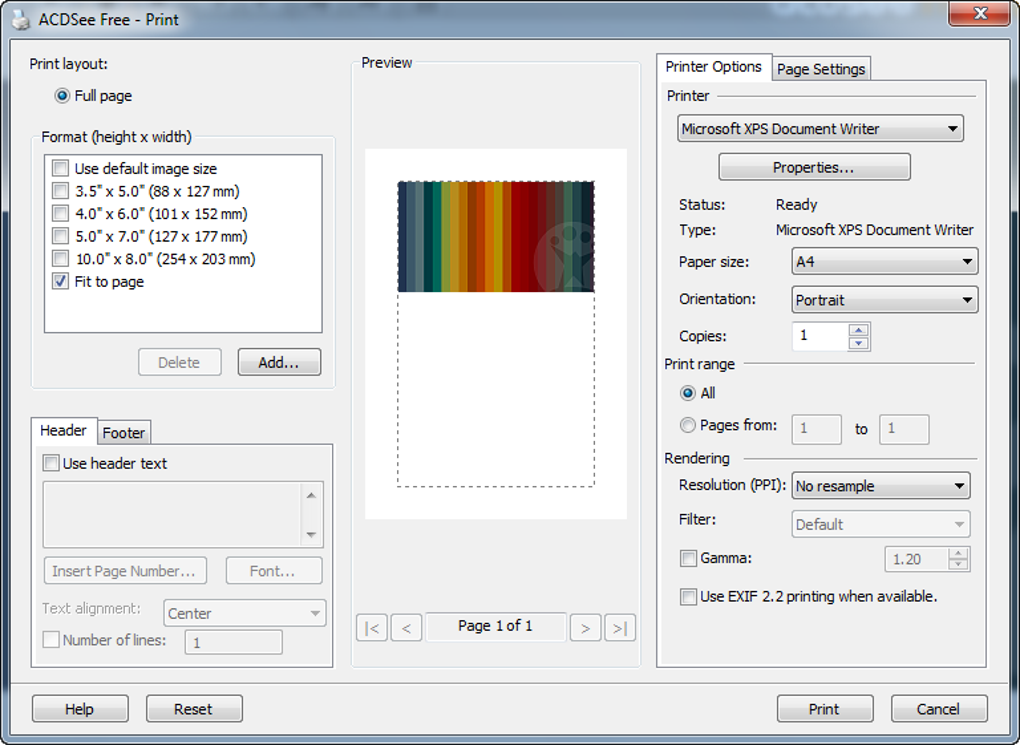
- Advanced print controls – Choose paper size, orientation, scaling, and border options, giving you professional‑grade print output.
- EXIF and metadata display – View camera settings, date taken, and file size directly within the viewer, useful for quick photo audits.
- Slide‑show mode – Automatic full‑screen playback with adjustable transition speed for presentations or casual browsing.
- Lightweight footprint – Consumes minimal system resources, making it suitable for older hardware and low‑end laptops.
- Secure and free – No hidden fees, no ads, and regular updates that keep the software safe from vulnerabilities.
Although ACDSee Free focuses on core viewing functions, the feature list demonstrates a thoughtful balance between speed and practicality. The advanced print controls, for instance, allow you to produce gallery‑ready prints without needing a separate utility. Meanwhile, the built‑in EXIF viewer eliminates the need for third‑party tools when you simply want to verify camera settings.
The program’s slide‑show capability also serves as a quick way to showcase vacation photos to friends or family without configuring a separate presentation software. Each feature is intentionally kept straightforward, ensuring that the interface stays uncluttered while still offering the essential tools power users expect. Because the application is maintained by the reputable ACDSee brand, you can trust that updates will address bugs and introduce modest enhancements without compromising the program’s original lightweight philosophy.
Installation, Setup, and Compatibility – Get ACDSee Free running in minutes
Installing ACDSee Free is a breeze, even for users who are not tech‑savvy. Follow these steps to have the viewer up and running:
- Download the installer from the official ACDSee website. The file is a small
.exepackage (under 30 MB), ensuring a quick download even on slower connections. - Run the installer by double‑clicking the downloaded file. Windows will prompt you to confirm that you want to allow the app to make changes—click “Yes”.
- Accept the license agreement, then choose the default installation folder or specify a custom path if you prefer.
- Select components. The installer offers a single component—the viewer itself—so you can proceed with the “Next” button.
- Complete the installation. Once the process finishes, you’ll see a confirmation screen with a shortcut to launch ACDSee Free.
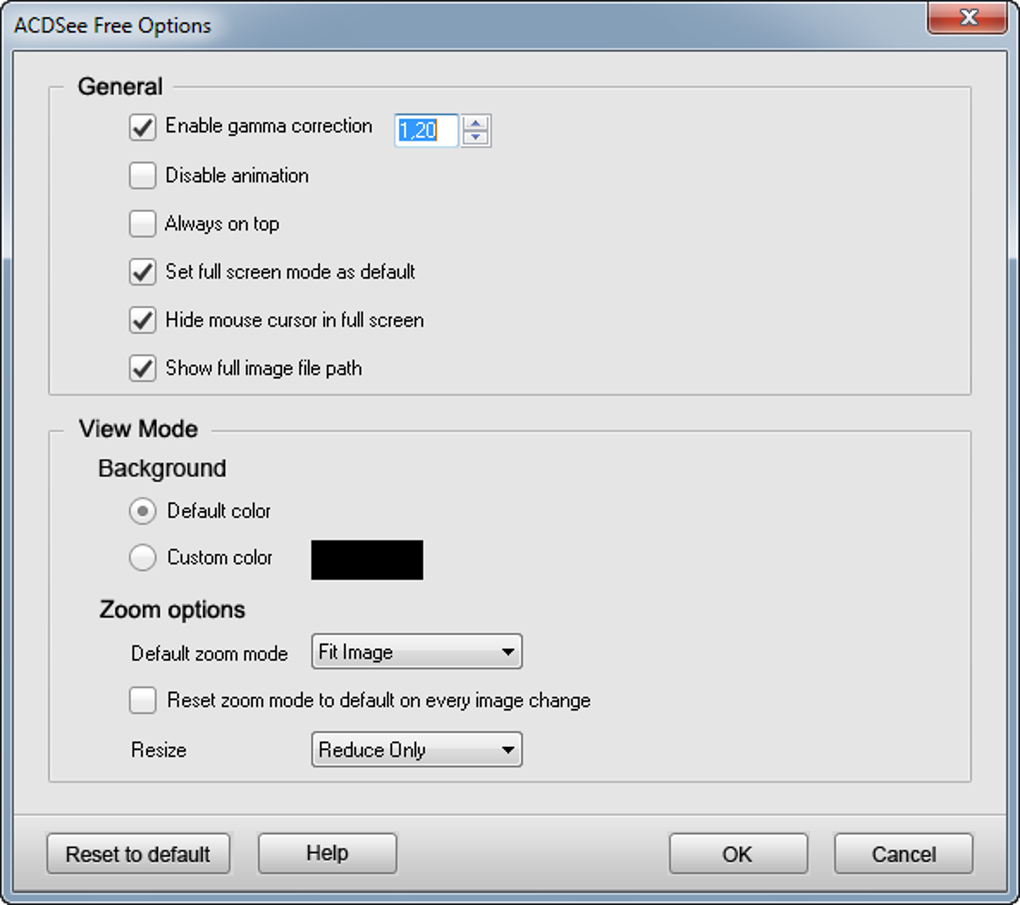
After launching the program, the first‑time setup wizard walks you through a few optional preferences: setting the default image viewer, configuring the slide‑show speed, and choosing whether to show EXIF data by default. These options are saved in a lightweight configuration file, allowing the program to start instantly the next time you open it.
Compatibility: ACDSee Free is built for Windows 7, Windows 8, Windows 8.1, and Windows 10 (both 32‑bit and 64‑bit). While the software does not have native macOS, Android, or iOS versions, Windows users can rely on its stable performance across all recent editions of the OS. Because the installer uses standard Windows Installer technology, it integrates smoothly with system updates and does not interfere with other image‑viewing applications. Should you encounter any issues, the ACDSee support portal offers a searchable knowledge base and a community forum where users share troubleshooting tips.
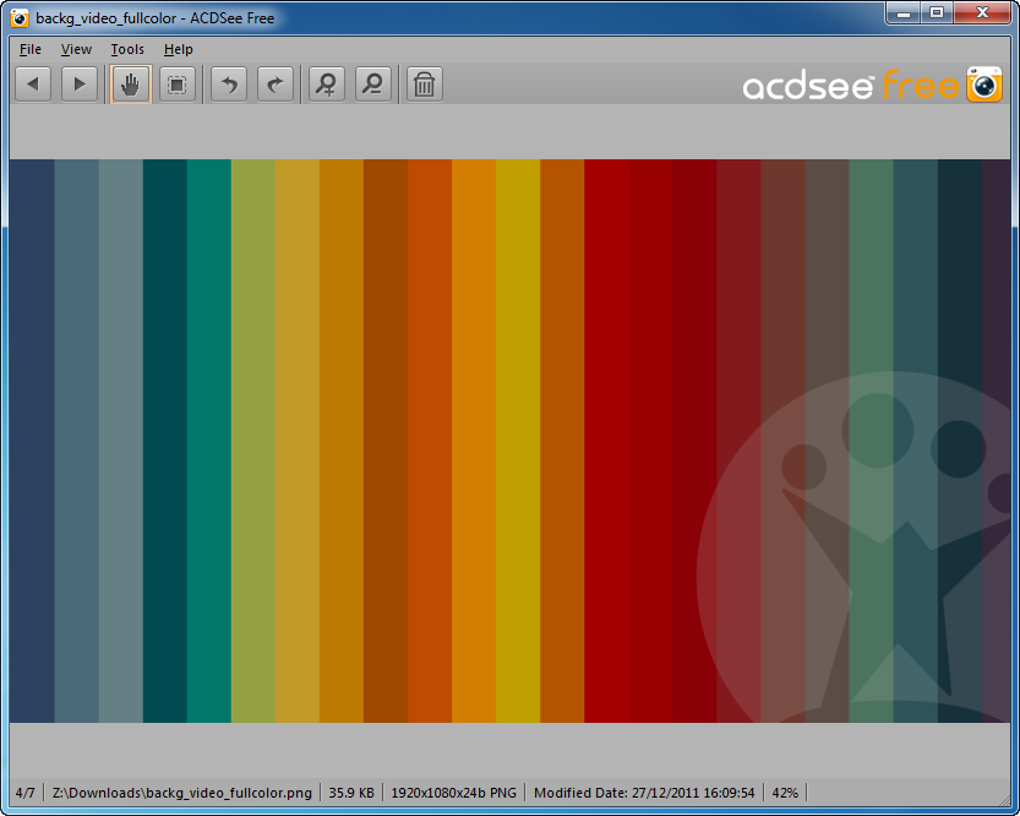
Once installed, using ACDSee Free is intuitive: drag and drop a folder onto the main window, or use the “File → Open” menu to browse to a specific image. The toolbar at the top provides quick access to zoom, rotate, and print functions, while right‑clicking an image reveals context‑sensitive options like “Set as Desktop Background”. The viewer remembers your last folder and settings, so you can pick up where you left off without reconfiguring preferences each session.
Conclusion – Pros, Cons, FAQ, and why you should download ACDSee Free today
Pros
- Extremely fast loading, even with large photo libraries.
- Simple, uncluttered interface that reduces learning curve.
- Advanced print controls for precise output.
- One‑click desktop background setting.
- Low memory usage – ideal for older PCs.
- Free and regularly updated by a trusted developer.
Cons
- Lacks advanced editing tools found in paid ACDSee versions.
- Interface appears dated compared to modern photo viewers.
- No native support for macOS, Android, or iOS.
- Feature set is limited to basic viewing and printing.
Frequently Asked Questions
Is ACDSee Free truly free or does it contain hidden fees?
ACDSee Free is completely free to download and use. There are no hidden charges, ads, or trial expirations. All features listed in the application are available without any payment.
Can I set a photo as my Windows wallpaper directly from the viewer?
Yes. By right‑clicking any image you can choose “Set as Desktop Background”, which instantly applies the picture as your wallpaper without leaving the program.
What image formats does ACDSee Free support?
The viewer supports all common formats, including JPEG, PNG, BMP, GIF, TIFF, and RAW files from many popular cameras. Unsupported formats will prompt a standard Windows error.
Is the software safe from malware and viruses?
Yes. The installer is digitally signed by ACDSee, and the company regularly releases security patches. Downloading from the official website ensures you receive a clean, verified copy.
Can I print photos directly from ACDSee Free?
Absolutely. The built‑in print dialog offers extensive options such as paper size, scaling, orientation, and borders, allowing you to produce professional‑looking prints without additional software.
Overall, ACDSee Free delivers exactly what its name promises: a fast, free, and secure image viewer that handles everyday photo browsing with minimal fuss. If your primary need is quick access to pictures, smooth zooming, and reliable printing, this tool checks all the boxes while keeping your system light. Users who demand heavy editing, cloud integration, or a sleek modern UI may want to explore ACDSee’s paid Photo Studio line, but for most Windows users looking for a straightforward viewer, ACDSee Free remains a solid choice. Download ACDSee Free today to experience a snappier photo workflow and say goodbye to sluggish default viewers.







